.png?width=275&height=183&name=download%20(5).png)
Once you've linked your bank accounts you can categorize. You can watch the full video from Tom or follow step by step.
Video Walkthrough from Tom
Full end to end walkthrough from Tom
Set up your own categories
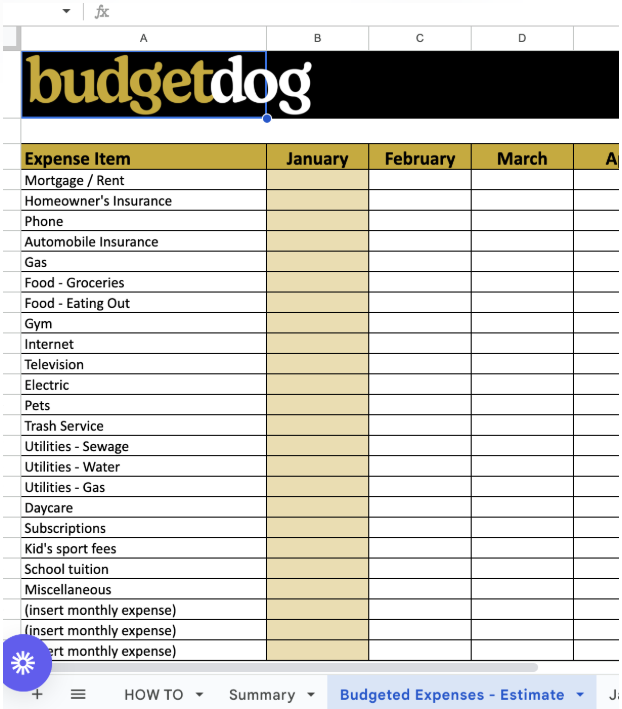
You can set up your categories by editing the expense items in the Budgeted Expenses - Estimate sheet. When you change these categories and add new ones (insert monthly expense), the categories will be copied over to Avery_Categories and be available to create match pattern rules.
Once you have your categories set up, the next step is categorizing the rest of the transactions, you can do this in 3 ways.
-
Manually update the category by selecting in the dropdown
-
Setting up your categorisation rules and running a categorisation.
-
Using the AI autocat to categorize the transaction.